
Open Source
Own your ecommerce stack
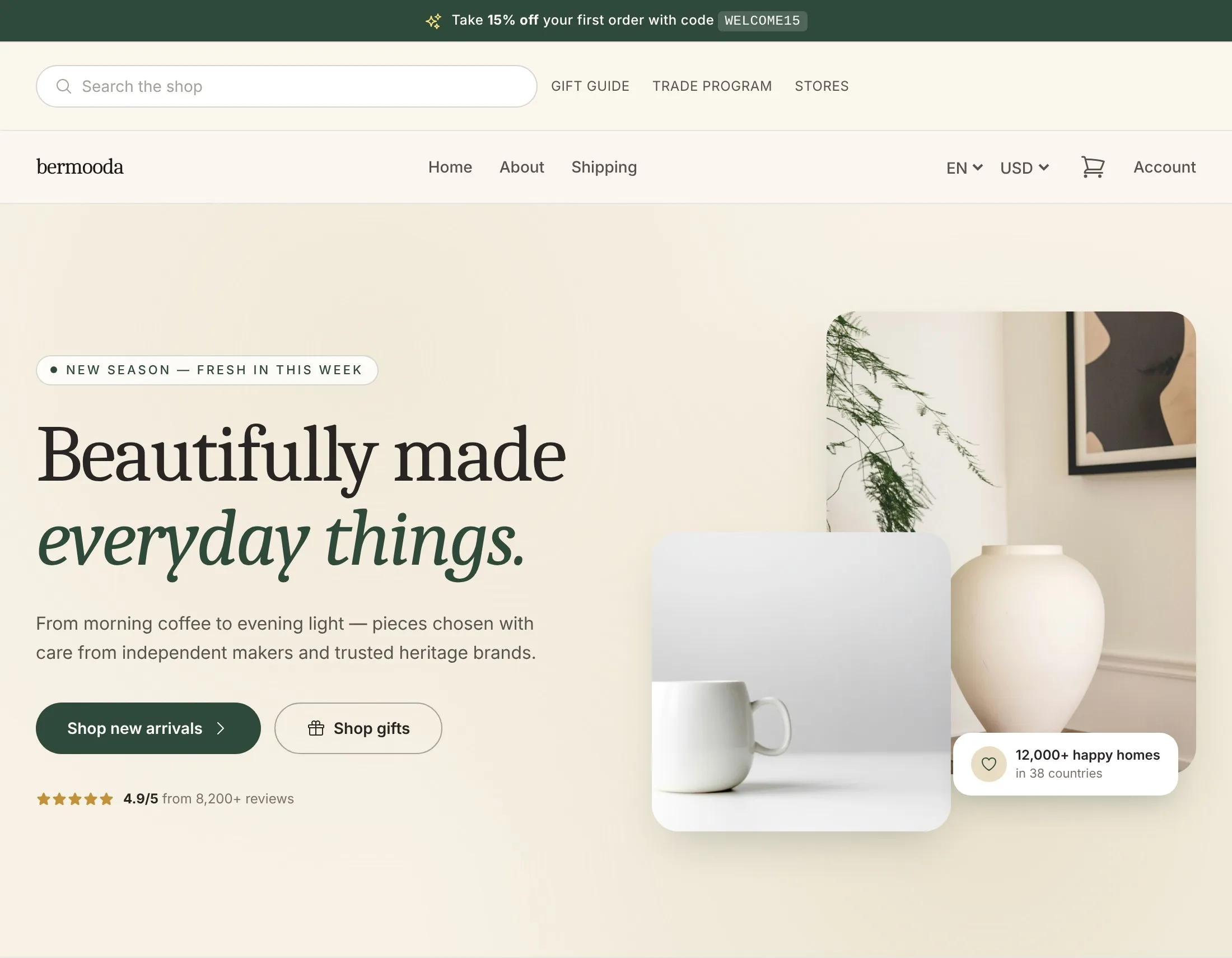
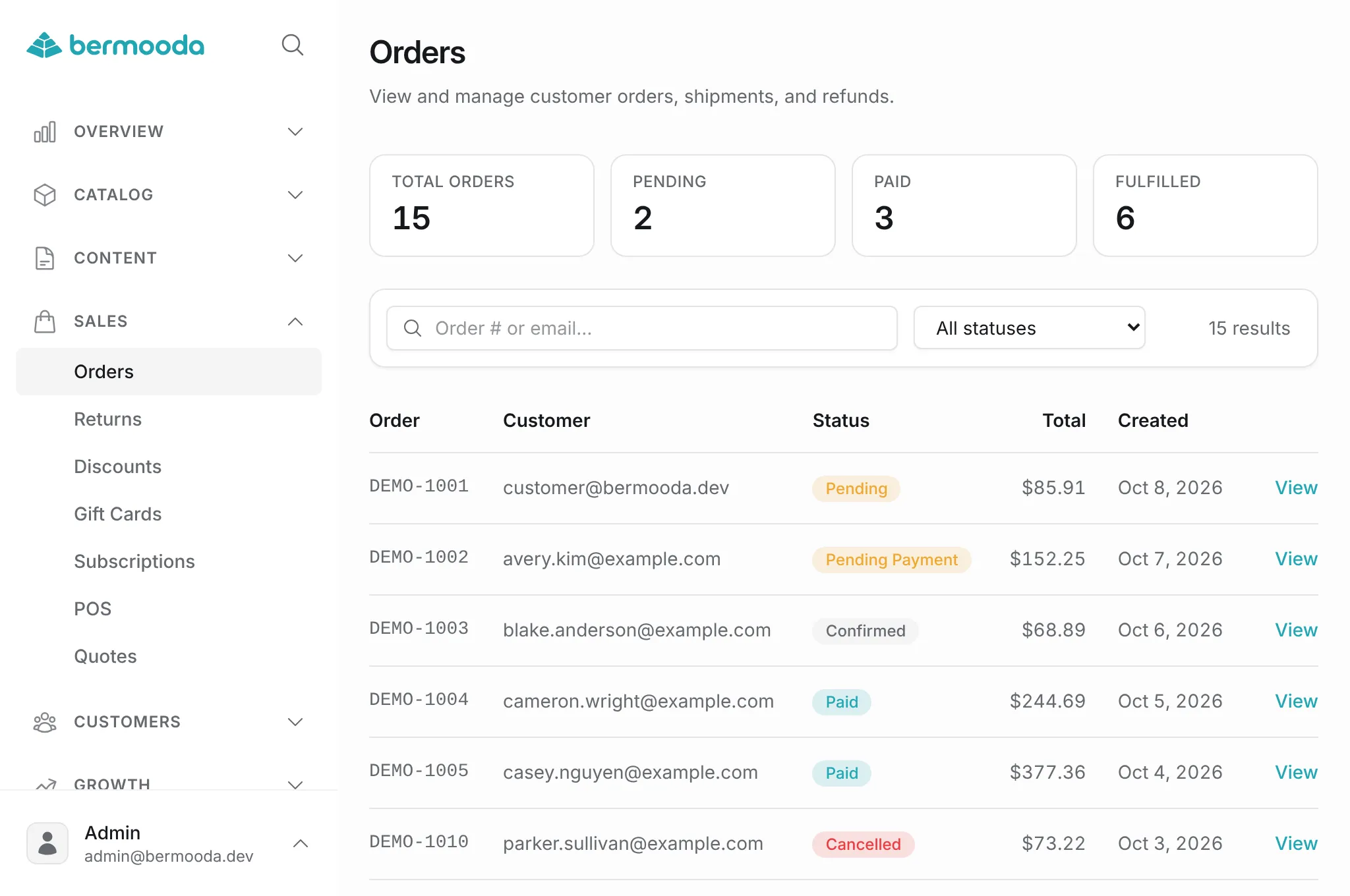
Open source ecommerce as one deployable app, with a themed storefront, merchant admin, and REST API.
$ npm i -g @bermooda/cli@latest
$ bermooda install --local --dir ./my-shop -y
# storefront, admin, and API in one process
One app
Three surfaces. One process.
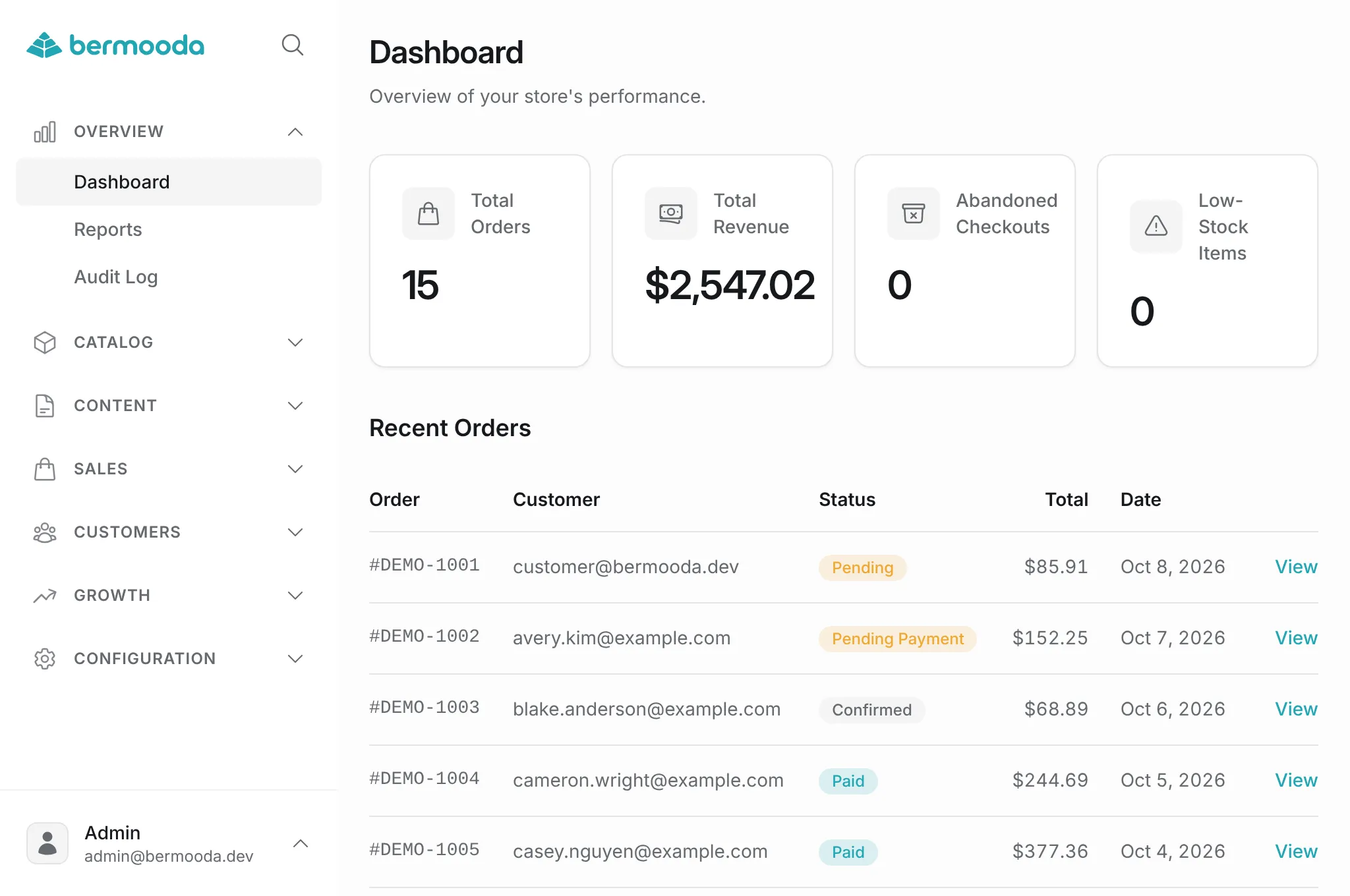
Themed storefront, merchant admin, and public/admin REST APIs live in a single React Router app. Domain logic sits in one place, so you can read it, change it, and ship it like any other Node service.
Clone it, scaffold a shop in minutes, and own the stack end to end. No constellation of SaaS products to glue together.

curl http://localhost:3000/api/v1/catalog
{ "products": […], "total": 42, "page": 1 }
Commerce primitives
Real shop mechanics, not a demo cart.
Catalog, cart, checkout, payments, shipping, customers, discounts, and inventory. Domain workflows live under app/core/*, not scattered across services.
Stripe for payments, better-auth for admin and customer sessions. Email is configurable via SMTP by default. Resend and other integrations are available as plugins. The engine is yours to extend.
- Catalog
- Cart
- Checkout
- Payments
- Shipping
- Customers
- Discounts
- Inventory
- Orders
- Reviews
Themes & plugins
Swap the storefront. Hook the engine.
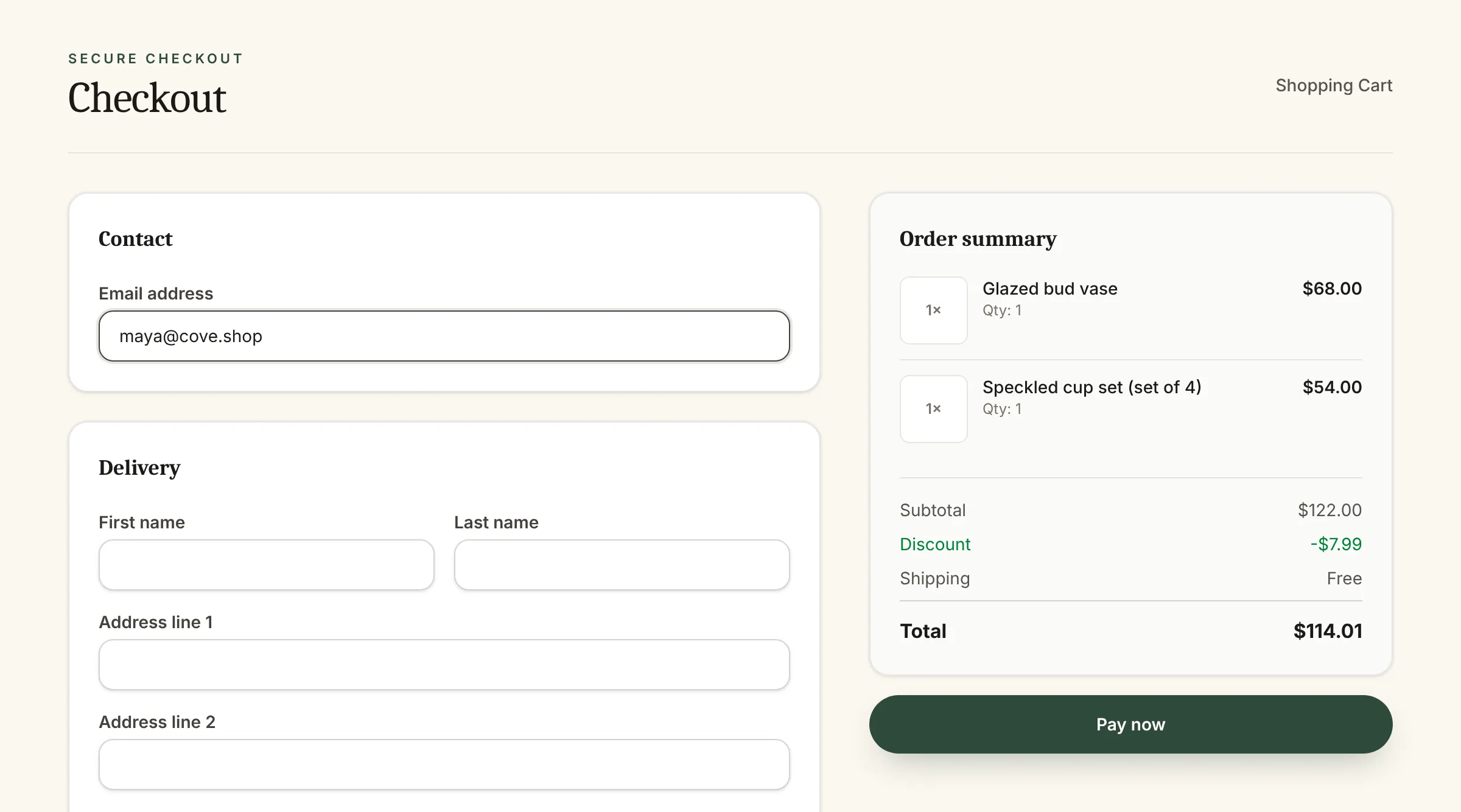
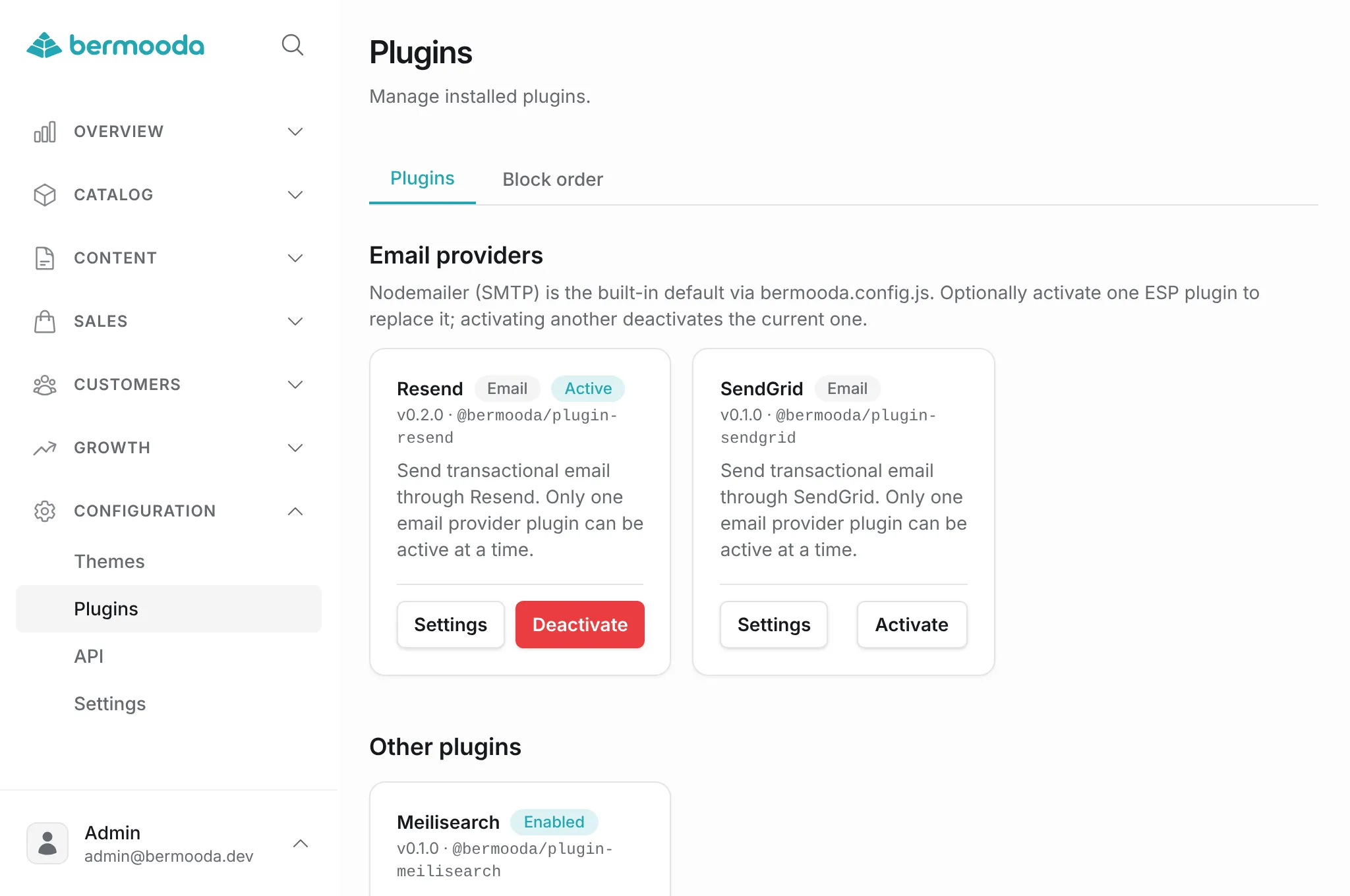
Themes live under app/themes/* and own the shop UI. Plugins under app/plugins/* register hooks, providers, and optional admin pages, without forking core.
Activate a theme or toggle a plugin in admin. The CLI can add, update, and remove both.
export default definePlugin({
  hooks: {
    'catalog.search': async (ctx, query) => {
      // replace storefront search
      return searchIndex(query)
    },
  },
})
Local first
SQLite to start. Postgres when you mean it.
No Docker, no managed database, no waiting on a cloud dashboard. bermooda install scaffolds deps, env, SQLite, an admin user, and a store name.
When you are ready to ship, point DATABASE_URL at PostgreSQL and run the same app. Plain Node or a Dockerfile, your choice.
$ bermooda install --local --dir ./my-shop -y
✓ Downloaded app
✓ Installed dependencies
✓ SQLite ready · prisma/dev.db
✓ Admin · [email protected]
✓ Store · Demo Shop
$ cd my-shop && bermooda dev
Local  http://localhost:3000
Admin  http://localhost:3000/admin
Architecture
A Node app you can actually read.
bermooda is not a black-box platform with a theme layer glued on. Core workflows, routes, themes, and plugins sit in one repository with ordinary files.
If you want a full shop you can fork, understand, and grow. This is the map.
app/
  core/       # catalog, cart, orders, payments
  libs/       # auth, Prisma, queue, SDKs
  routes/     # storefront, admin, API, webhooks
  themes/     # active theme renders the shop
  plugins/    # hooks, blocks, providers
  components/ # admin / auth / UI primitives
Thin routes
Loaders and actions call app/core/*. Keep HTTP at the edge of the system.
Themes stay client-safe
Storefront UI receives data via props. Themes do not import server core modules.
Plugins register, they don’t fork
Hooks, providers, and optional admin or storefront UI, enabled without touching core.
REST API
Storefront is public. Admin is keyed.
/api/v1 covers catalog, search, cart, and checkout, with no API key. Carts are gated by the token returned at create.
/api/admin/v1 uses Authorization: Bearer berm_… with scopes. Same domain logic as the admin UI, built for agents and your own tools.
- GET/api/v1/catalog
- POST/api/v1/cart
- POST/api/v1/checkout
- GET/api/admin/v1/orders
const res = await fetch('/api/v1/cart', {
  method: 'POST',
  headers: { 'Content-Type': 'application/json' },
  body: JSON.stringify({ currency: 'USD' })
})
const { cart } = await res.json()
// cart.token gates later cart calls
CLI
The binary is the onboarding.
bermooda install is the recommended path, local or server. It does the boring work so you can open the shop.
Themes and plugins are first-class commands, not afterthoughts. bermooda help is built in.
$ bermooda installDownload the app, install deps, configure env & DB, create admin + store
$ bermooda devStart the local server on port 3000
$ bermooda startRun the production server (builds if needed)
$ bermooda updateUpdate the shop to the latest app version
$ bermooda theme …Add, update, remove, or list themes
$ bermooda plugin …Add, update, remove, or list plugins
Get started
Scaffold a shop in minutes
Install the CLI, create a local shop, and run the dev server. Full flags and setup notes live in the docs.
- 01
Install the CLI
Requires Node.js ≥ 24. The bermooda binary is then available globally.
- 02
Scaffold a shop
install --local writes deps, env, SQLite, an admin user, and the store name.
- 03
Run the app
bermooda dev starts the storefront, admin, and API on localhost:3000.
# Install the CLI
$ npm i -g @bermooda/cli@latest

# Scaffold a local shop
$ bermooda install --local --dir ./my-shop -y

# Run it
$ cd my-shop
$ bermooda dev
Deploy
Plain Node. Or a container. That’s it.
Production is npm run build then npm start. Output lands in build/client and build/server.
A Dockerfile ships in the repo. Wire Postgres, Stripe, and object storage when you leave SQLite behind, not before.
$ npm run build
$ npm start

# or
$ docker build -t bermooda .
$ docker run -p 3000:3000 bermooda
Stack
Familiar tools, one service.
Node.js ≥ 24. Vitest, oxlint, and oxfmt in the repo. Deploy as plain Node or Docker.
- React Router
- React 19
- Prisma
- SQLite
- PostgreSQL
- Stripe
- better-auth
- Vite
- Tailwind CSS
- Nodemailer